

Managing blocked users
To view a list of blocked (banned) users, go to your chat dashboard and click Moderation > Blocked Users.
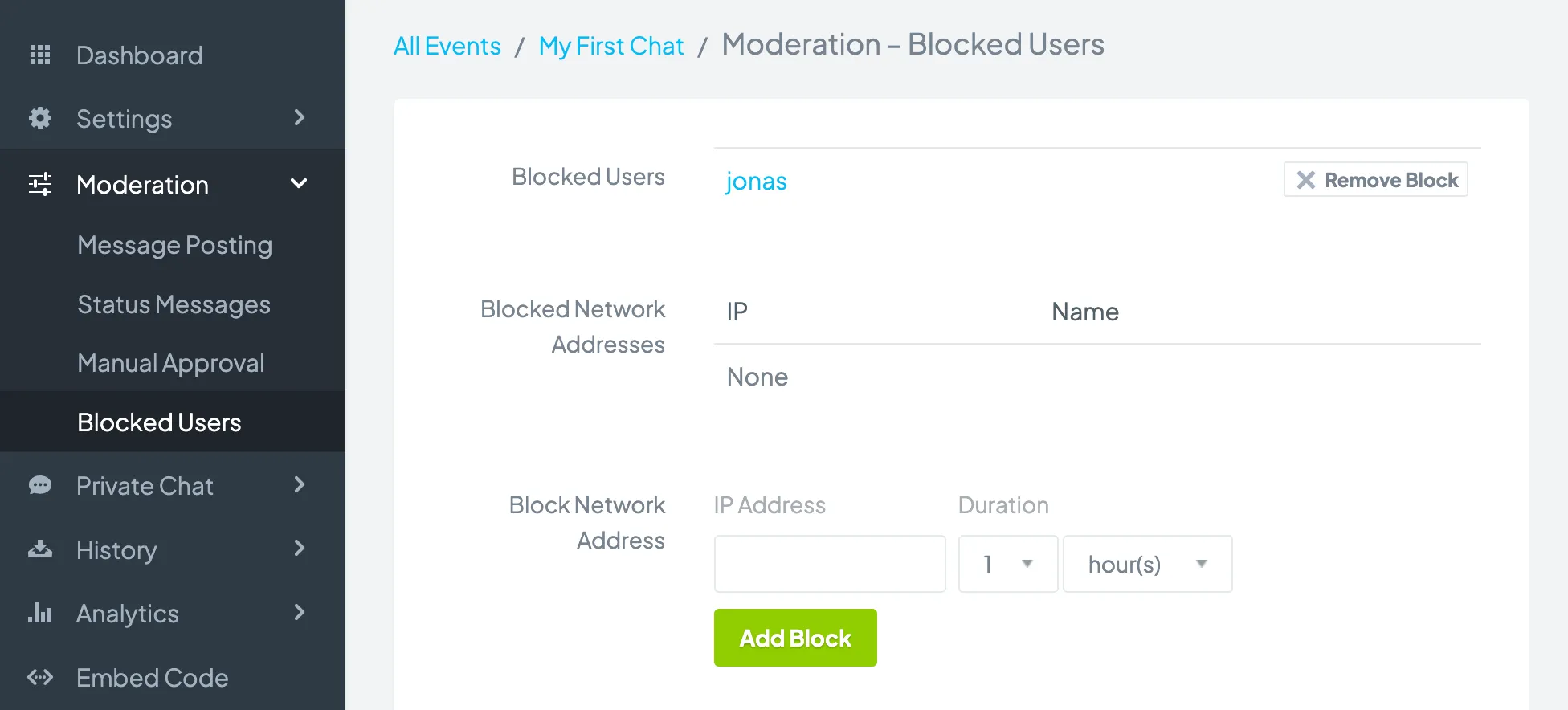
You can unblock a user by clicking Remove Block next to the user’s name.
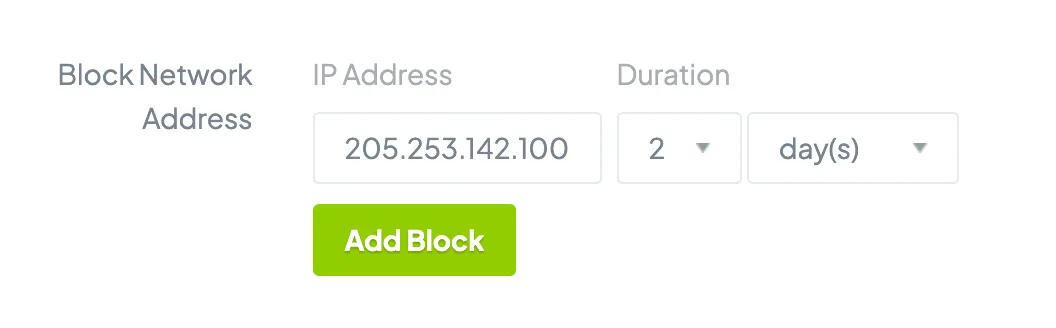
When you block a user who logs in as a Guest, the user’s IP address is blocked. If you want to block a specific IP address, enter the IP address into the Block Network Address field, set the duration, and click the Add Block button.
Copyright © 2026 Chatroll™. All rights reserved.