

Q&A Mode - Approving messages manually
Manual Approval mode (also known as “Q&A Mode”) allows you to screen users’ messages before they are seen in the live chat. Users can submit questions to the chat, but only questions approved by moderators are published.
To enable Manual Approval mode:
- Go to your chat dashboard.
- Click Moderation > Manual Approval.
- Toggle the Manual Approval switch to On.
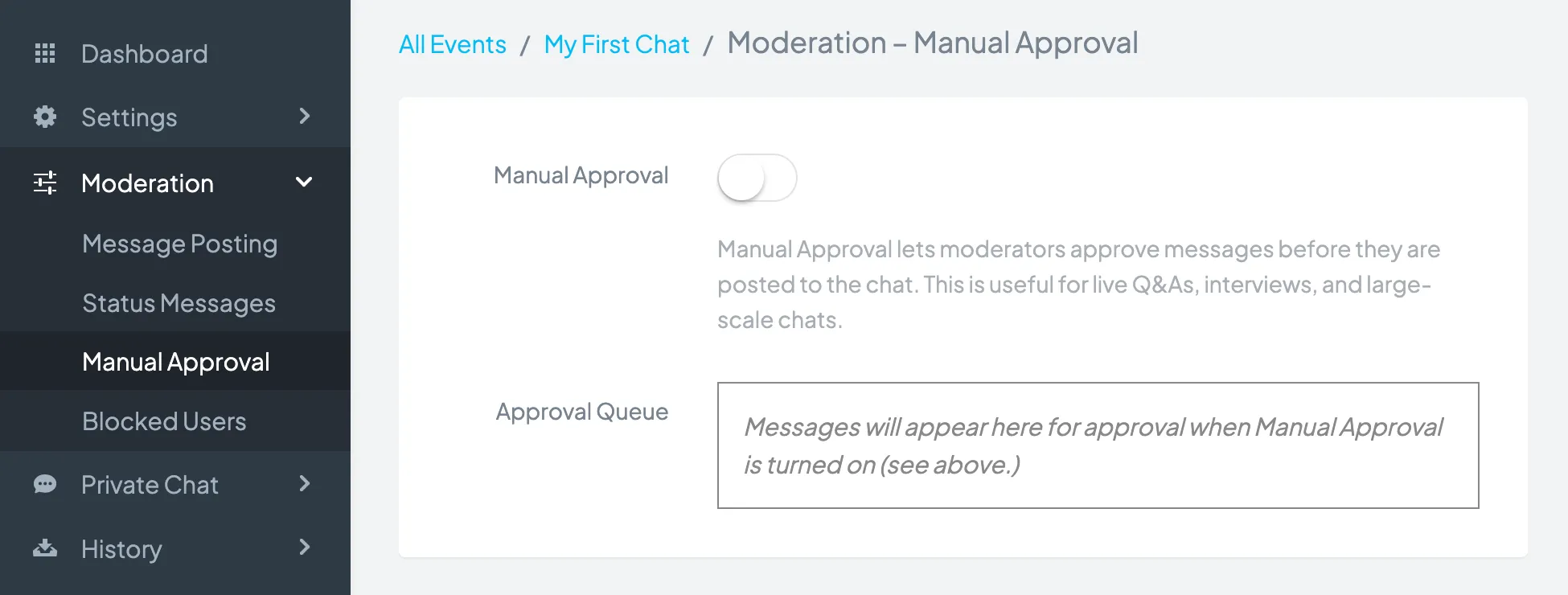
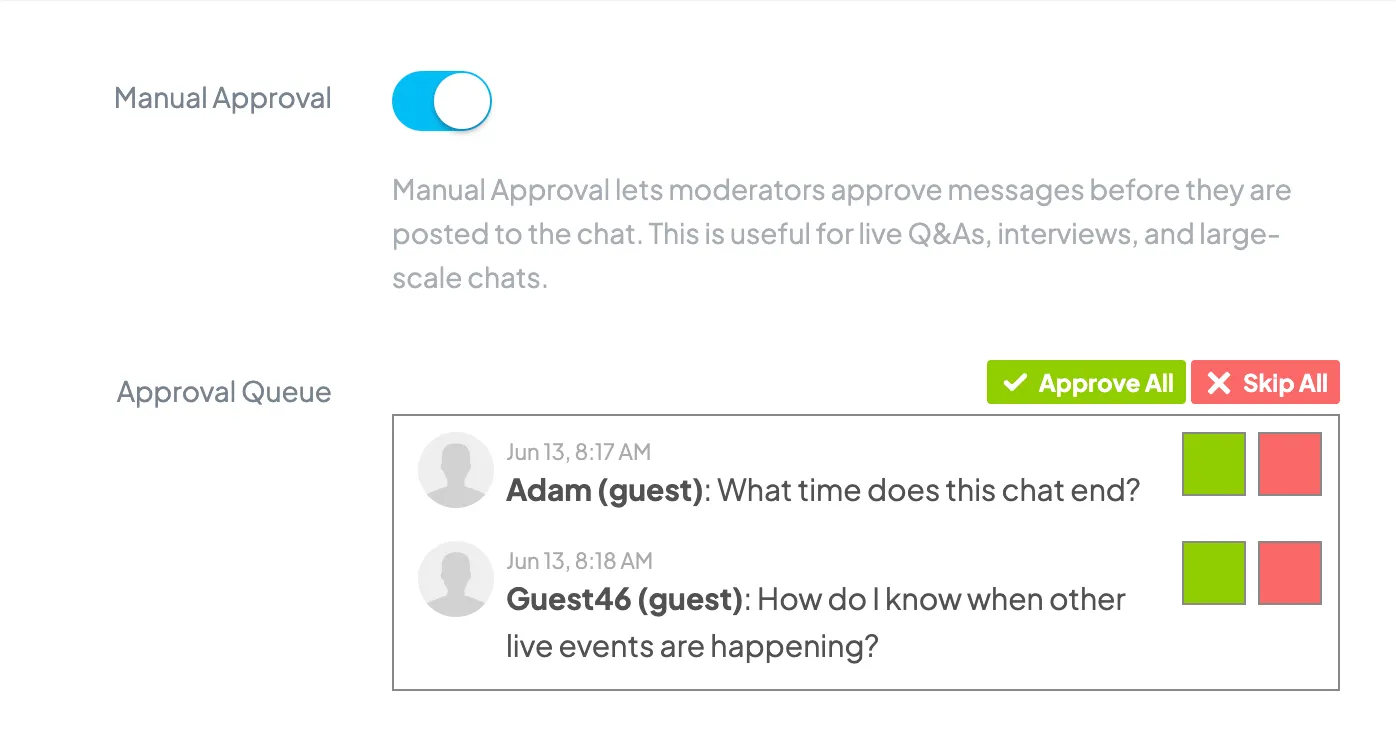
When Manual Approval is on, messages posted to the chat will show up in the Approval Queue.
Next to each message will be a green approval button and a red delete button. Click the green button to approve the message, allowing it to be seen in the live chat. Click the red button to delete the message. Deleted messages cannot be recovered.
You can approve or delete messages in any order. Messages don’t have to be approved in the order they entered the queue.
Copyright © 2026 Chatroll™. All rights reserved.