

How do I change my billing information?
To update your billing information:
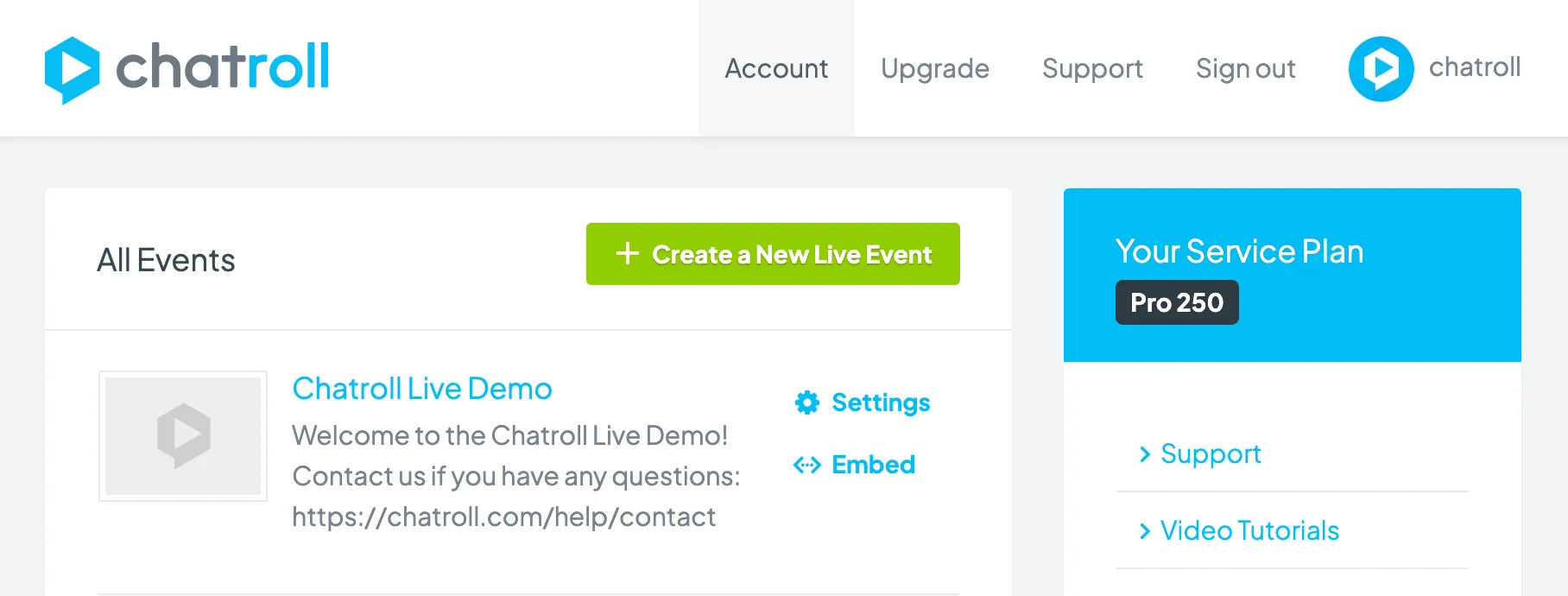
- Go to your account dashboard.
- Click Account.
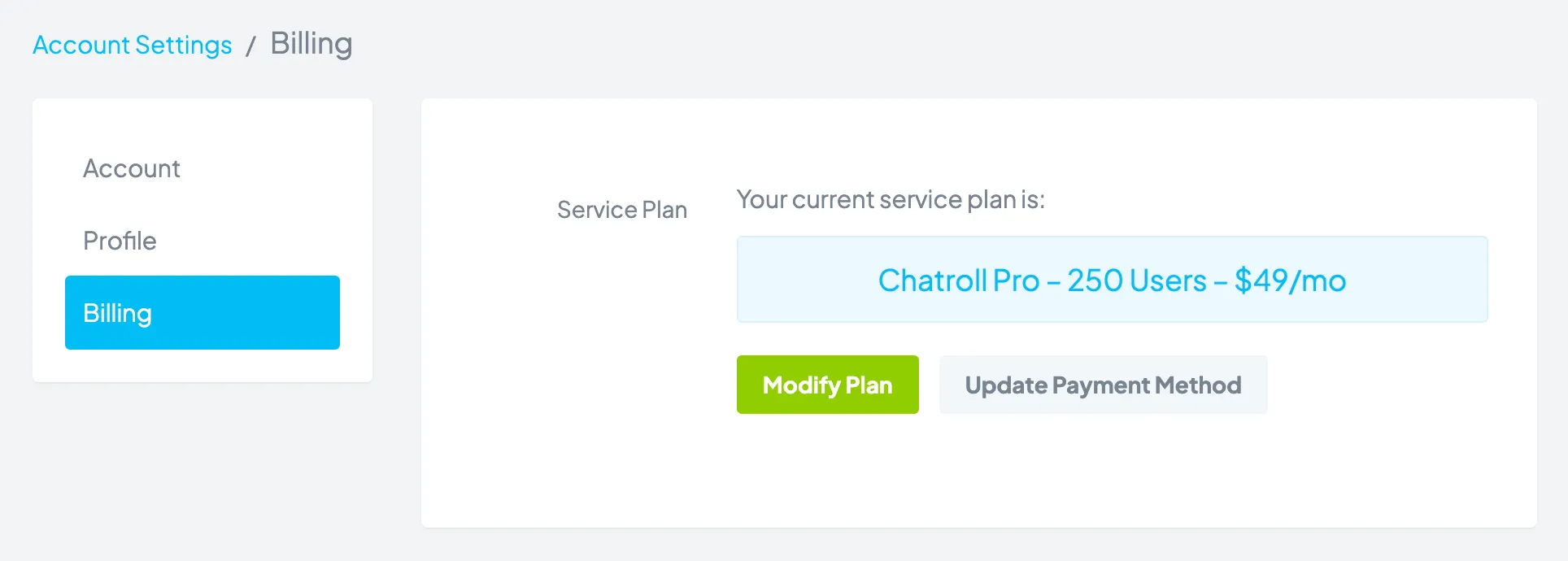
- Click Billing.
- Click the Update Payment Method button.
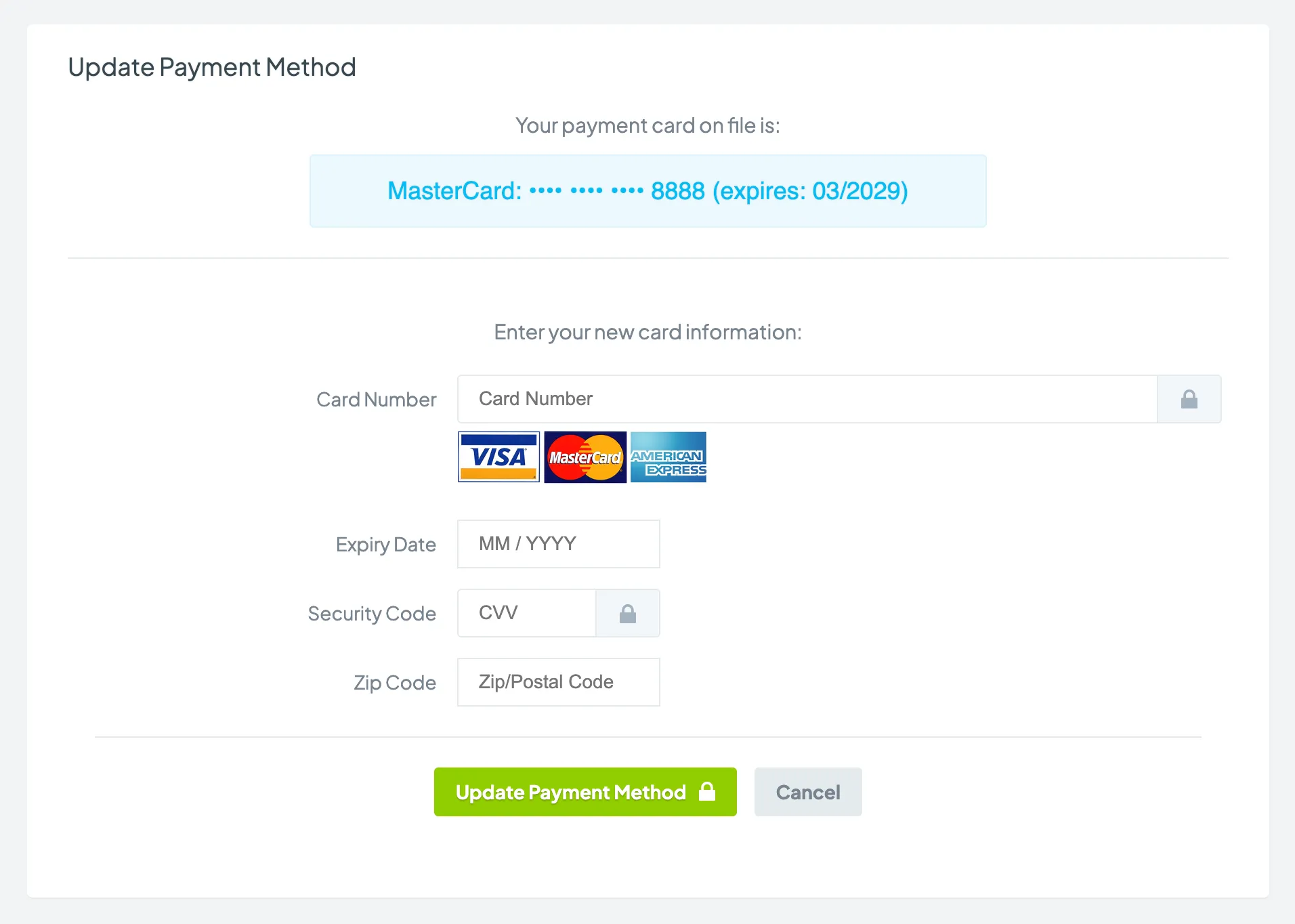
- You will see your current credit card information. Click the Update Payment Method button.
- Enter your new payment information and click the Update Payment Method button.
If you have an Enterprise account and you want to update your billing information, please contact your account manager or submit a request.
Copyright © 2026 Chatroll™. All rights reserved.